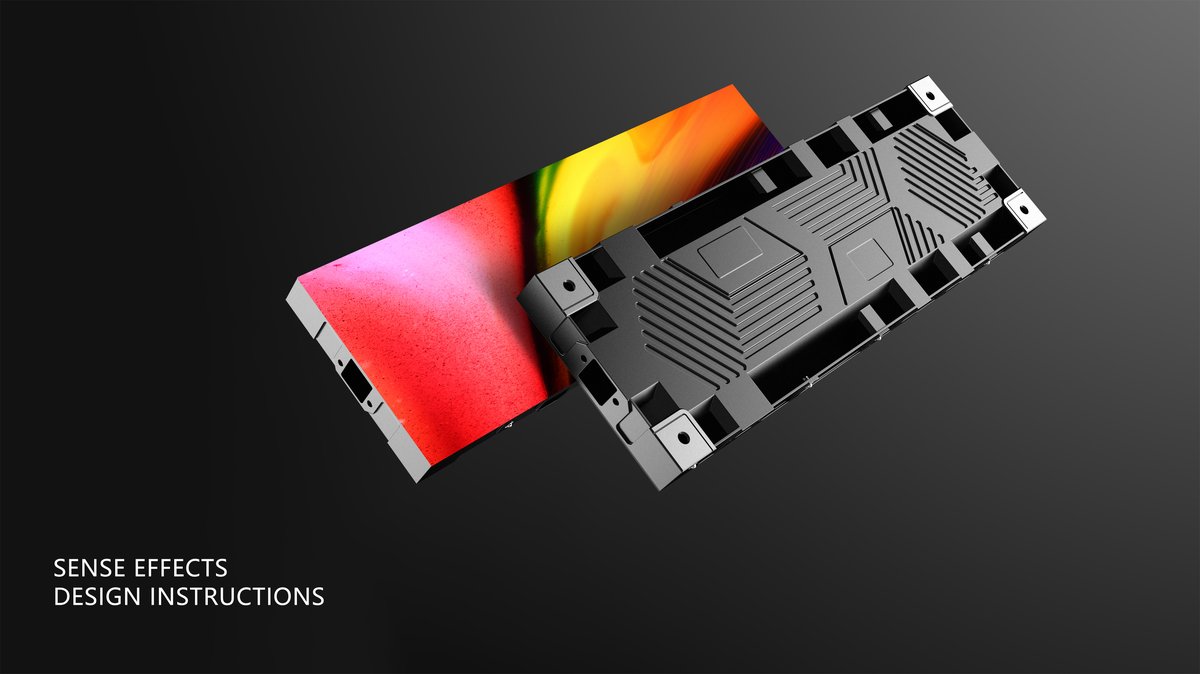
A music studio is an acoustic environment first, and every piece of equipment in it has to justify its presence against the risk of noise, heat, or interference. That makes a studio a genuinely difficult place to specify a display, because the screen must be silent, cool, and camera-safe while still delivering the visual impact a modern production room expects.
The applications range from a small video wall behind the console in a control room to immersive visual environments in tracking spaces, live-stream rooms, and artist lounges. Each carries its own constraints on brightness, noise, and size.
Music production has become a visual business. Sessions are streamed, performances are filmed, and the room itself is part of the brand that artists and producers present to an audience. LED displays have moved into the studio for the same reason they replaced print elsewhere: one surface can change its look for every session, artist, and campaign.
The control room application is the most demanding acoustically. Engineers work at low monitoring levels where any added noise is audible, so a display with loud cooling fans is unacceptable. Screens in this space are typically mounted behind or beside the console and used for visualizers, session metadata, and reference imagery rather than for bright playback.
Tracking rooms and live rooms increasingly use LED for atmosphere and for content that performers interact with. A vocalist standing in front of an immersive wall performs differently than one facing a blank acoustic panel, and the visual environment becomes part of the creative process rather than a decoration added afterward.
Live-stream and content rooms are the fastest-growing use. A studio that streams sessions or produces video needs a background that is on brand and changeable, and LED delivers that without the lighting and set-building work a physical backdrop would require, while staying consistent across many hours of continuous shooting.
Electrical noise is a consideration that is easy to overlook. Studio equipment runs on sensitive power, and a large display shares the building supply with audio gear. Choosing a display with a well-designed power factor and stable driver behavior reduces the risk of audible interference, and keeping display power on a separate circuit from the audio chain is standard practice on any serious installation.
Acoustic treatment still governs the room. A display wall is a large, hard, reflective surface, and in a room designed for critical listening that can change the acoustics of the space. Studios often mount the screen on a shallow cavity with acoustic material behind it, which keeps the room's response close to what the designers intended.
Maintenance is simpler than many studio teams expect. Because the screens run at low brightness most of the time, heat and wear are below the levels seen in retail or control center installations, and the main tasks are periodic cleaning of the front surface and a check of the calibration. Keeping one spare module in the building is usually enough for a single-room installation.
Layout is a workflow question as much as a design one. The screen should sit where it can be seen by the people who need it without forcing anyone to turn away from the desk, the console, or the microphone. In a control room that usually means a position above or beside the main monitors, angled so the display does not reflect the desk lighting back into the engineer's eyes.
Studio specifications are driven by three constraints at once: silence, low heat, and camera compatibility. Pitch follows viewing distance as usual, but the cabinet design and cooling method matter as much as the pixel count.
The table below maps common studio roles to Asia Vision series. Where the screen appears on camera, confirm the refresh rate and test with the actual camera before finalizing the layout.
Size the wall to the shot rather than to the room. A control room wall is often used both as a visualizer and as a background when the session is filmed, which means its dimensions should be chosen from the camera framing as well as from the engineer's viewing position. A wall that fills a wide frame at the streaming position will look lost from across the room, so settle the primary use before fixing the size.
Dimming quality separates a comfortable studio from an irritating one. Working at night or at low levels is normal in a studio, so the display must step down smoothly to a fraction of its peak output without flicker or a visible color shift. Test the low end of the dimming curve early, because a wall that looks perfect at full brightness can behave very differently at ten percent.
Silence is the standard the whole installation is judged against. Measure the background noise of the room at its quietest, then select equipment whose cooling and power design will not exceed that floor in normal operation. On that basis alone many studios choose a low-output, passively cooled cabinet over a brighter screen that would need fans running continuously.
| Studio Application | Series | Typical Pixel Pitch | Key Specification |
|---|---|---|---|
| Control room visualizer wall | CV-PRO COB | P1.5 to P1.9 | Fanless or low-noise cooling, 10000:1 contrast, 3840Hz |
| Tracking room atmosphere wall | CV-PRO COB | P1.9 to P2.5 | Low heat output, smooth dimming, wide viewing angle |
| Live stream backdrop | CV-PRO COB | P2.5 to P3.9 | Camera-safe refresh, flicker-free on video, color accuracy |
| Artist lounge feature wall | X Series | P3.9 to P4.8 | Lightweight cabinet, creative layout, front service |
| Studio exterior branding | D-PRO | P5 to P8 | Weather sealed, high brightness for daylight frontage |
Noise is the specification most studio buyers worry about first, and Asia Vision addresses it by choosing cabinet and power designs that keep heat and fan activity to a minimum, so the screen does not add measurable background noise to a low-level monitoring environment.
On-camera performance is the second requirement, and the indoor range runs at 3840Hz and above. That rate removes the scan lines and flicker that appear when a camera shoots a lower-refresh LED wall, so the screen looks correct in the recorded feed as well as to the eye. Cameras can shoot from any angle without the rolling artifacts that ruin a take.
Color behavior matters in a room full of reference monitors. The COB platform in CV-PRO delivers high contrast and consistent color, and Asia Vision supplies calibration files so the wall can be brought toward the project's reference target rather than drifting to an arbitrary default. Deep blacks also help ambient-light content blend into a dim studio rather than glowing as a grey rectangle.
Studio builds are often small, high-value orders, and factory-direct supply keeps them economical at almost any size. CE, FCC, and RoHS documentation is standard, delivery runs 15 to 20 working days, and the three-year warranty is supported by remote commissioning help and matched spare modules, which matters in a room where a visible defect on camera ends a session.
Because studio orders are often small, Asia Vision keeps the process simple for single-room projects. A short survey of the mounting surface, the intended viewing distance, and the camera position is usually enough to recommend a cabinet size and pitch, and the team can advise on whether a wall should be flush-mounted, freestanding, or built into a shallow acoustic cavity.
Content guidance is provided alongside the hardware. The team can advise on test patterns for verifying flicker and color, on layouts for session metadata and visualizers, and on how to keep a stream backdrop on brand across many sessions. That turns a display purchase into a working studio asset rather than an installation that the production team has to figure out on its own.
Connectivity is the final item to settle. Whether the wall receives a local playback feed, a network stream, or a live video input determines which processing hardware belongs in the order, and confirming that early avoids adding a converter or a second controller after the wall has already been built.
Power design is the last detail worth reviewing. A studio wall shares a building supply with sensitive audio equipment, so confirm the display's power factor and driver behavior and keep display power on its own circuit where practical to reduce the chance of audible interference in the monitoring chain.
For this requirement our range covers it directly: the X Series (front/rear service, common parts across platforms) and the series overview for spare-part lists.